Edit the text inside any PDF. Nobody can tell.

Tap a word on your iPhone and retype it. PDF Genius keeps the original font, size, colour and background, even on scanned and photographed documents.

Download on the App Store
No accountWorks on scansFree to start
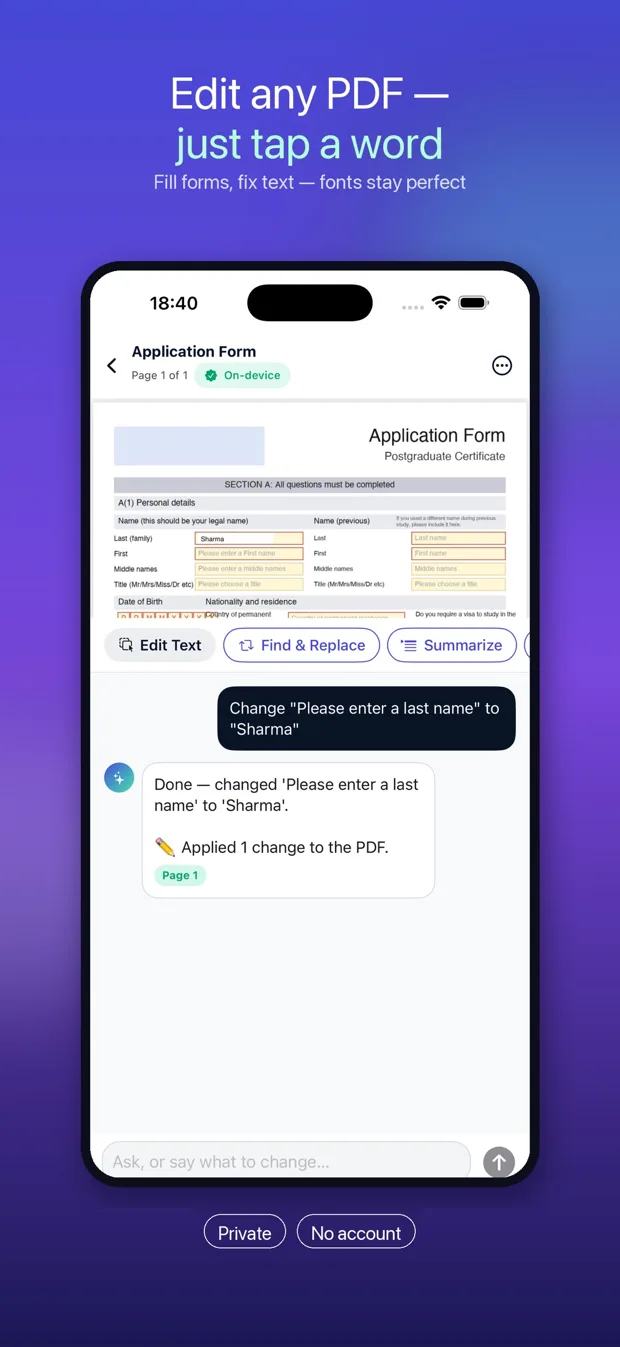
PDF Genius editing a name on an application form

A PDF editor that edits, not just draws on top

Most phone apps can only put a new text box over your PDF. PDF Genius changes the text that's already there.

Edit text in place

Tap any word or line and rewrite it. Fonts, sizes, colours and shading are matched automatically.

Works on scans

Photographed or scanned page? Text is recognised on the device, so you can edit it like any other PDF.

Fill any form

Fillable fields are written into the PDF itself. Flat or scanned forms: tap the box and type.

Sign in seconds

Draw your signature once, then tap exactly where it should go on any document.

Or just ask

"Change the date to 12 March." Tell the AI what to change in plain language and it edits the PDF.

Understand long documents

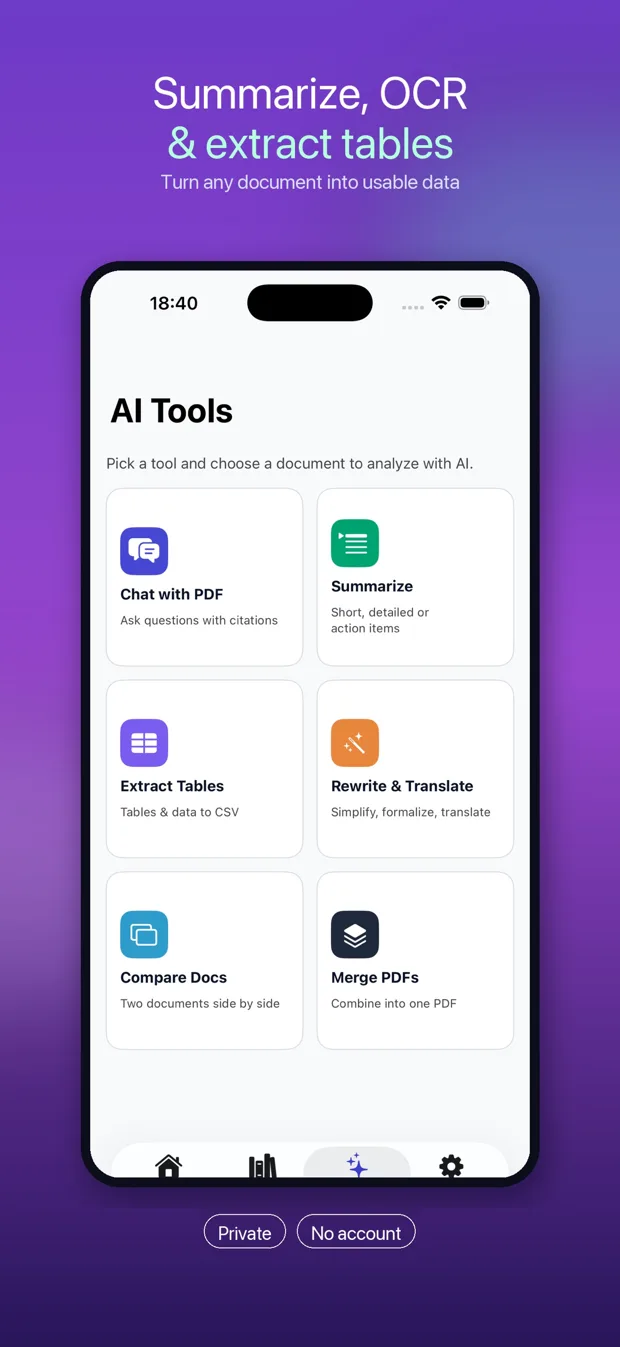
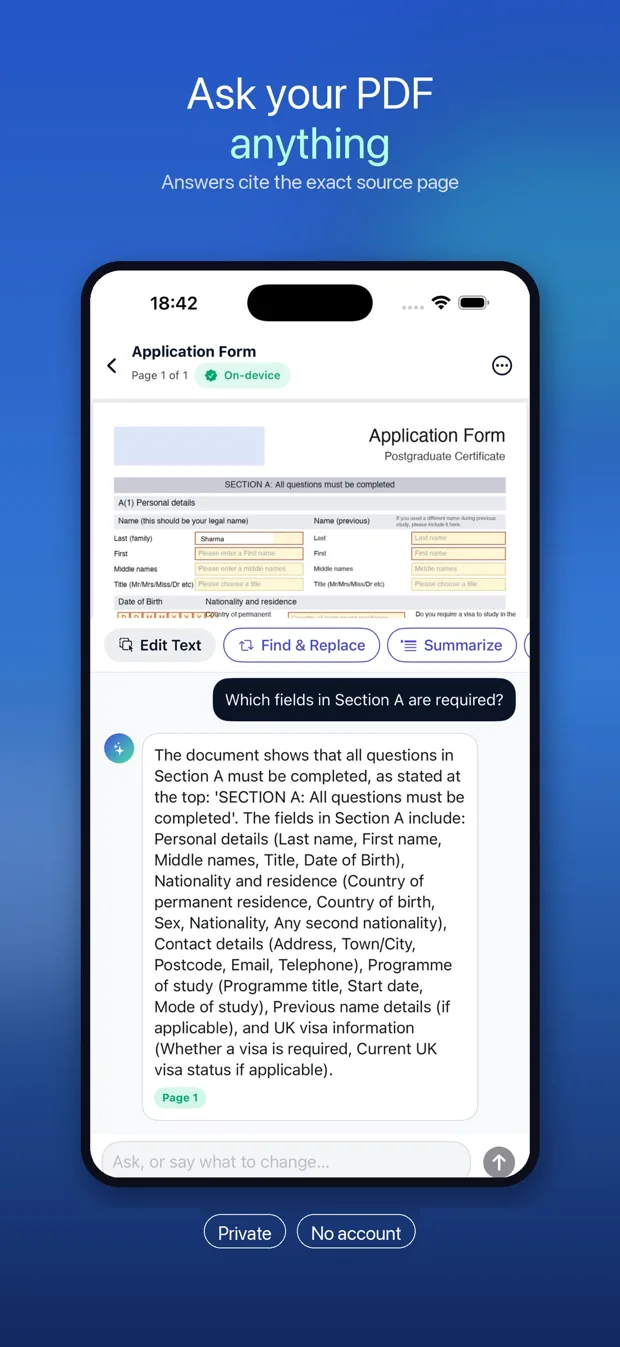
Summaries, questions with page citations, table extraction to CSV, rewrite and translate.

See it in the app

Real screens from PDF Genius on iPhone.

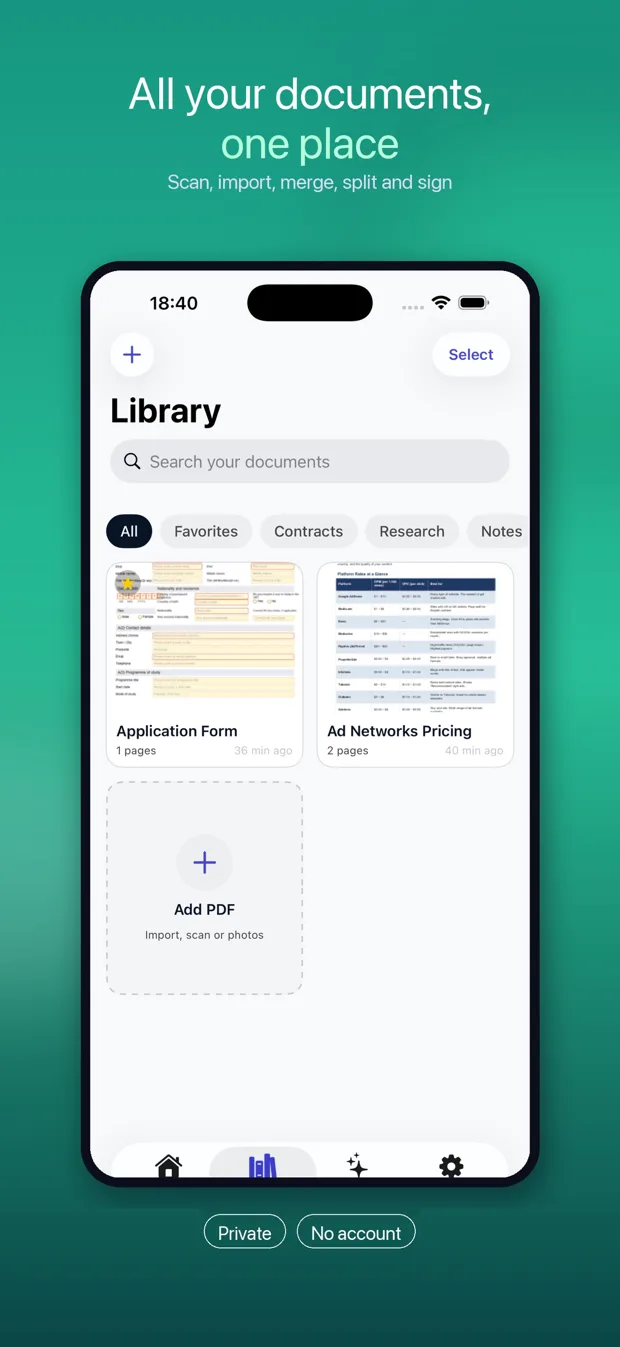
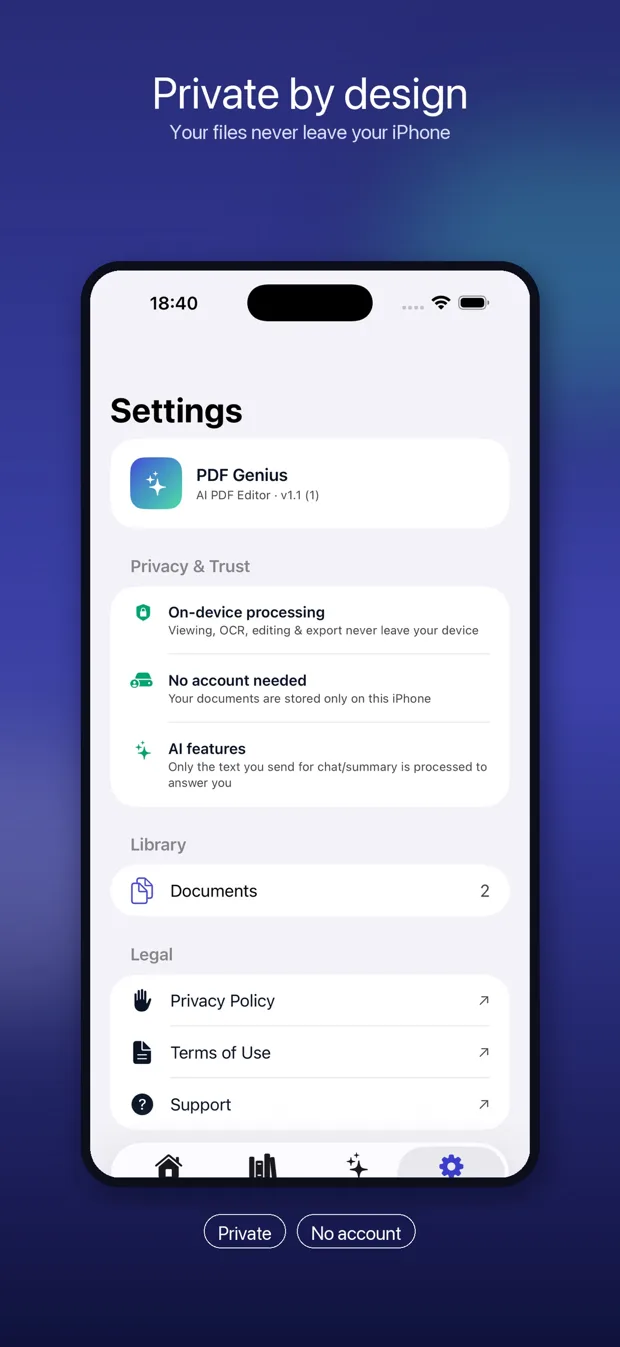
Asking a question about a PDF form AI tools: summarize, extract tables, rewrite, compare Document library with scan and import Privacy settings: on-device processing, no account

How-to guides

Step-by-step help for the PDF jobs people search for most, including the free options built into your iPhone.

Questions

Is PDF Genius free?

Yes, it's free to download. Viewing, scanning, merging, splitting, compressing, highlighting and signing are always free, and the free plan includes a number of text edits and AI questions. PDF Genius Pro unlocks unlimited editing and AI.

Do I need an account?

No. There's no sign-up and no login. Your documents are stored on your iPhone.

Where do my documents go?

Viewing, OCR, editing, signing and exporting happen on your device. When you use an AI feature, such as chat or summarize, only the relevant text is sent over an encrypted connection to generate your answer. It isn't used to train AI models. Details are in the privacy policy.

Does it work on scanned documents?

Yes. PDF Genius recognises the text on scanned and photographed pages, so you can tap a word and edit it just like a normal PDF.

Will the edit look obvious?

PDF Genius measures the original text's font size, weight, colour and background, then matches them, so the edit blends in. Results are best on clean, typed documents.
Fix that PDF now

Free on the App Store for iPhone.

Download on the App Store